
PROMISE YOU THAT I'LL REPLY BACK WITHIN 12 HOURS.
Native macOS prayer reminder. Full-screen alerts, mosque-matched times, and a Focus Mode you can't skip.
.png?image_process=resize,p_10)
Swift
SwiftUI
Minarah started as my own problem. Remote work and long screen shifts mean prayer times pass while you are heads-down in a task. You don't miss Salah on purpose — you miss it because nothing on the machine you are staring at ever interrupts you, and the phone reminder is face-down across the desk.
I also couldn't build it the easy way. I tried Electron, then Dart, and neither gave me a prayer overlay that felt native on macOS. So I learned Swift and rebuilt it properly.
Minarah is a native SwiftUI app that lives in the macOS menu bar and is deliberately hard to ignore at the moment it matters.
Manual times, on purpose. V1 does not guess. You enter your prayer times and the app schedules against them, so it matches your local mosque exactly instead of arguing with a calculation convention. Per-prayer offsets handle the rest.
Full-screen prayer overlay. A native overlay with a gradient per prayer, not a banner notification you dismiss reflexively. Auto-dismiss delay is configurable in seconds, with a sound when prayer mode starts.
Focus Mode — or "force mode". It blocks the entire screen for the duration of the prayer. No skip, no escape hatch: the screen stays locked until you are done. This is the feature the app exists for.
Smart countdown. A notification 20 minutes ahead so you can close out what you are working on instead of being cut off mid-thought.
Shipped like a real Mac app. Notarized, distributed from Cloudflare, with Sparkle wired in for auto-updates. macOS 14+.
Free, no paywall. 500–600+ users since release, spread well past Bangladesh — a surprising share of the messages come from Turkey. Built with Aarrafi, Subayel Ahammed and Mirza Showvik.
V2 is in planning: automatic location-based prayer time calculation, and a substantial UI pass.
The app is at minarah.app.
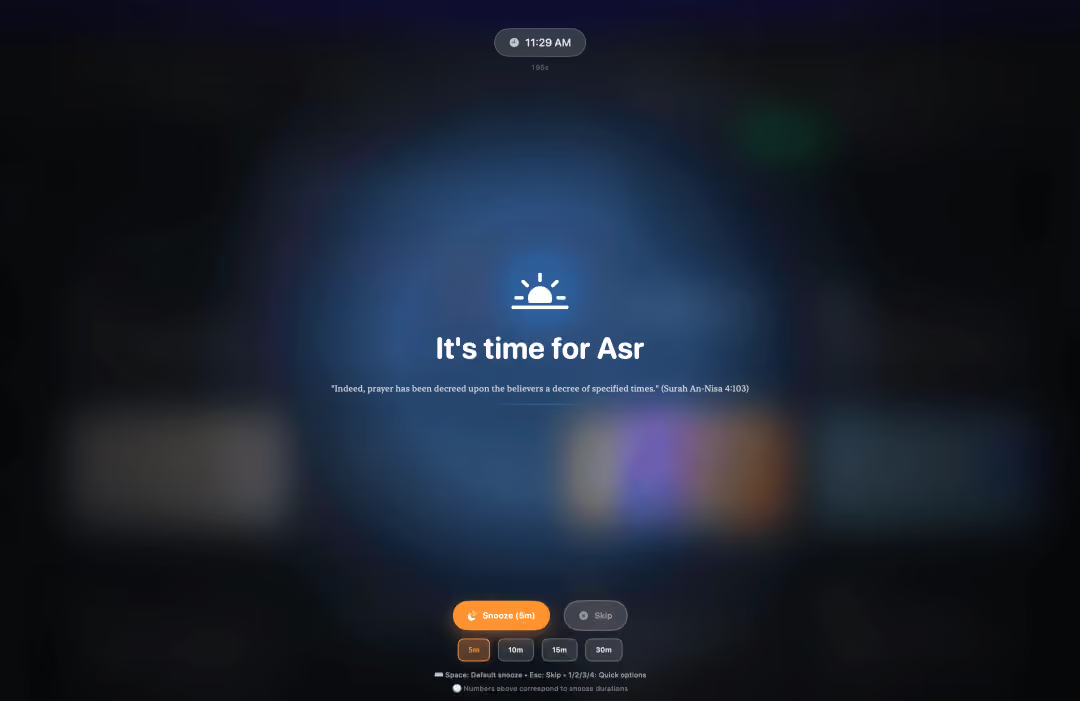
↳Full Screen Reminder
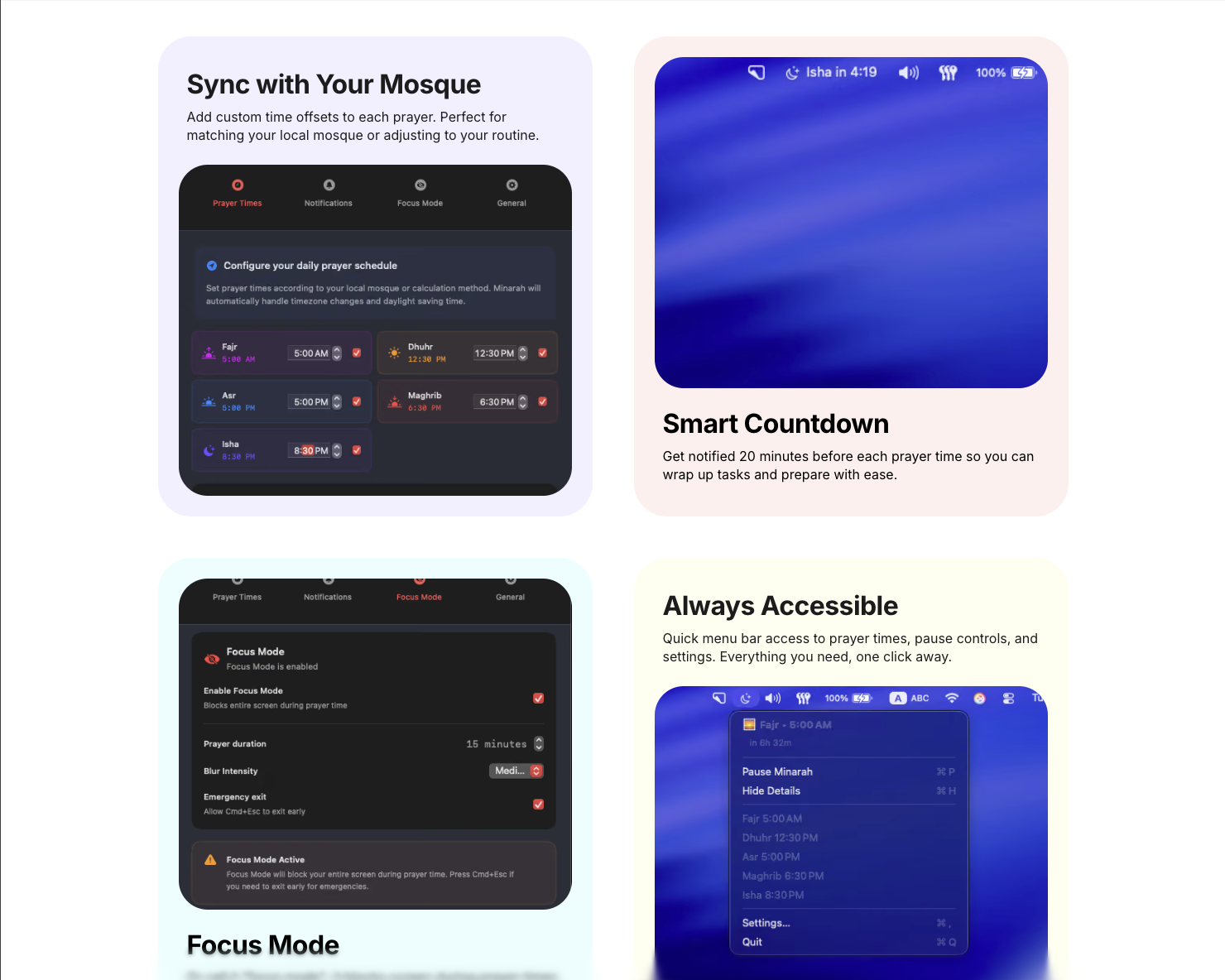
↳Features
